NEXFORA SMARTCARD — BETA

Your business card is about to become smarter.

NEXFORA SmartCard helps professionals and business owners share their contact details, business profile, website, social links, and more — with one tap.

Tell us how you would use SmartCard and register your interest in the beta.

  • NFC + QR
  • EDITABLE PROFILE
  • SAVE CONTACT
Conceptual representation of a SmartCard and linked digital profile; not final manufactured hardware or production UI.

THE OLD LIMIT

How many business cards have you received… and eventually lost?

Traditional business cards work — until your details change, your card gets lost, or your information becomes outdated.

A MORE USEFUL INTRODUCTION

One card. One tap. Your entire business.

NEXFORA SmartCard connects a physical NFC + QR card to a digital business profile that can be updated anytime.

HOW IT WORKS

From introduction to useful information in four clear steps.

A simple tap or scan gives people a direct path to the business details you choose to share.

  1. 01STEP

    Tap or scan your SmartCard

    Use the NFC interaction or the visible QR route on the card.

  2. 02STEP

    Your digital profile opens

    The linked business profile opens as the next step in the introduction.

  3. 03STEP

    Share your business details

    Present contact details, business information, links, and location where relevant.

  4. 04STEP

    Update anytime without reprinting

    Keep the linked profile current when the information you share changes.

CORE FEATURES

The essential details, connected in one focused profile.

SmartCard combines a physical sharing point with an editable digital profile and the information people need next.

NFC + QR Enabled

Two clear ways to open the linked digital profile.

Editable Digital Profile

Keep shared business details current without reprinting the card.

Save Contact

Give visitors a direct way to save the contact details provided.

Website & Portfolio

Guide people to a website, portfolio, or selected work.

Social Links

Bring approved professional and business profiles together.

Business Location

Share a relevant business location when one is provided.

Premium Layouts

Choose a considered presentation style for the digital profile.

Beta Support

Receive support during the initial SmartCard beta experience.

CUSTOMIZE THE INTRODUCTION

Designed around your business.

Your brand, powered by NEXFORA SmartCard.

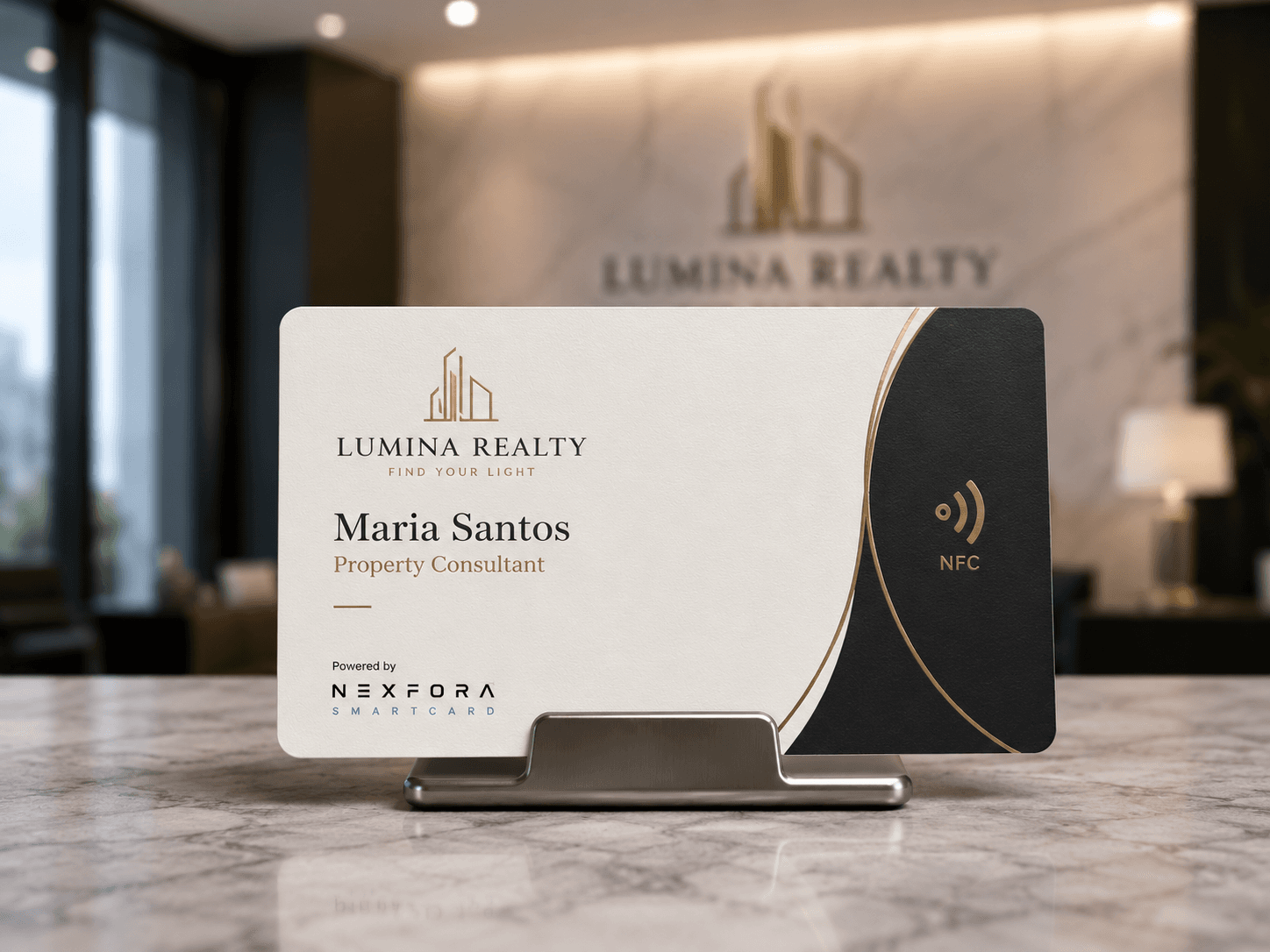
Lumina Realty conceptual NEXFORA SmartCard design

Lumina Realty

A premium real-estate direction for property-focused introductions.

Copper Cafe conceptual NEXFORA SmartCard design

Copper Café

A warm business-facing direction for daily customer contact.

Aurelia Legal conceptual NEXFORA SmartCard design

Aurelia Legal

A refined consulting direction for a professional practice.

Reyes Dental Clinic conceptual NEXFORA SmartCard design

Reyes Dental Clinic

A clean healthcare direction for clinic introductions.

Conceptual SmartCard examples only. These illustrate how a SmartCard can reflect a client's identity.

SMARTCARD TYPES

A clear starting point for different ways of working.

The SmartCard type describes who the experience is intended for. Pricing, materials, and final product specifications are not part of SC1.

01

SmartCard Personal

DIRECT AND PERSONAL

For professionals and freelancers.

02

SmartCard Business

BUSINESS-FIRST

For business owners.

03

SmartCard Executive

REFINED AND FOCUSED

Premium presentation.

04Coming soon

SmartCard Team

SHARED IDENTITY

For growing teams.

05Coming soon

SmartCard Enterprise

SCALED PRESENTATION

For organizations.

AFTER THE TAP

The card opens a profile built for the next step.

The physical card starts the introduction. The digital profile gives people the current details and links they need while the conversation is still fresh.

IDENTITY FIRST
Show the name, business, and role you choose to share.
USEFUL NEXT ACTIONS
Make contact, website, social, and location details easy to find.
ONE PROFILE TO UPDATE
Keep the shared information current without reprinting the card.
Conceptual digital profile preview. Final profile fields and presentation remain subject to beta setup.

FIRST BETA BATCH

Be one of the first NEXFORA SmartCard beta users.

We’re opening the first batch for 20 professionals and business owners who want to try a smarter way to introduce themselves and their business.

JOIN THE BETA LIST

Tell us how you would use SmartCard and register your interest in the beta.

What the beta is designed to include

  • Early access pricing
  • Assisted setup
  • Starter digital profile layout
  • NFC + QR SmartCard
  • Priority access before public launch

COMMON QUESTIONS

SmartCard, answered directly.

Short answers to what people ask first about NEXFORA SmartCard.

What is NEXFORA SmartCard?

NEXFORA SmartCard is a physical NFC + QR business card linked to a digital business profile. Tapping or scanning the card opens that profile, where people can see the contact details, business information, and links you choose to share.

How does NEXFORA SmartCard work?

Tap the card on a phone that supports NFC, or scan the QR route on the card. The linked digital profile opens as the next step in the introduction, so the details stay available after the conversation ends.

Does SmartCard use NFC or QR?

Both. Each card carries an NFC interaction and a visible QR route, so the profile can be opened whichever way suits the moment or the device.

What opens after someone taps or scans the card?

The linked digital business profile. It leads with the name, business, and role you choose to show, followed by contact details, a website or portfolio link, social profiles, and a business location where one is provided.

Can the business information be updated later?

Yes. The digital profile is editable, so the details people see can be kept current as they change.

Does the physical card need reprinting when details change?

No. Updating the linked profile changes what visitors see. The printed card itself stays the same.

Who is NEXFORA SmartCard for?

Professionals, freelancers, and business owners. SmartCard Personal, Business, and Executive are the types available in the beta, while SmartCard Team and SmartCard Enterprise are listed as coming soon.

Is SmartCard available now?

SmartCard is in beta. The first batch is opening for 20 professionals and business owners, and you can register interest through the beta list. Pricing, materials, and final product specifications are not confirmed yet.

Have a question that is not covered here? Contact NEXFORA directly, or start a project inquiry if you are planning a website, application, or custom business system.

A SMARTER NEXT INTRODUCTION

One tap can make your next introduction easier.

JOIN THE BETA